Related articles: Part 2, Part 3

I’m going to use dlib of v19.4 to do the face landmarks detection. Before I integrate the library to the Android end, I want to make sure the function (face landmarks detection) works on my Mac.
The reference specification:
OS: Mac
dlib:v19.4NDK:14.1
Environment setup
- Download the source code (I’m using
v19.4). - Install
homebrewto manage the development tools or packages. - Install the C/C++ compiler.
e.g.brew install llvm - Install
cmake. It usescmakeas the build system to generate the Makefile.
e.g.brew install cmake - Install
xquartz. It usesx11/xlibas GUI framework.
e.g.brew cask install xquartz - Install
lapack. It uses Linear Algebra PACKage to compute the matrix operation.
e.g.brew install lapack - Download the pre-trained model.
e.g.http://dlib.net/files/shape_predictor_68_face_landmarks.dat - Prepare the photos with clear faces inside.
Build the sample code
The sample code I’m interested is face_landmark_detection_ex.cpp which is located in the examples directory. And it would be compiled to an executable binary file that could take the trained model and photos as inputs.
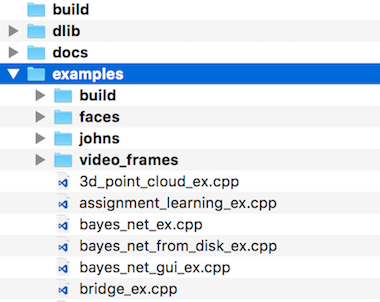
Go into the examples folder and type:
cd examples && mkdir build && cd build && cmake .. && cmake — build .If it is successfully compiled, you should see many generated executable binary files in the examples/build/ directory.

The sample relies on the xquartz server to display the result. So remember to launch XQuartz.app first (located at /Applications/Utilities/XQuartz.app) and keep it opened. Then run the sample to see how it performs:
# 1st parameter is the trained model; 2nd parameter is the photo
./face_landmark_detection_ex \
    shape_predictor_68_face_landmarks.dat \
    ../faces/*.jpg
Error I encountered
If you encounter DLIB_NO_GUI_SUPPORT compiling error like me. It is probably because the generated dlib/build/config.h header file is not used. To solve it you simply copy the dlib/build/config.h to dlib/config.h.
The cmake I’m using doesn’t support interactive debugging. To do further debugging, I add debugging message to know what flags are turned on or off in the CMakeLists.txt file.
Here is the tips of debugging “cmake”:
# In CMakeLists.txtmessage(STATUS "The log message.")Run cmake and dump the debugging message.
cmake . --debug-output -WdevStay tuned
The result looks pretty cool to me. In the next article, I will be trying to cross-compile the library to be used by an Android app.
Original paper: pdf